.png?width=300&height=77&name=black-logo%20(1).png)
Archive Form Templates
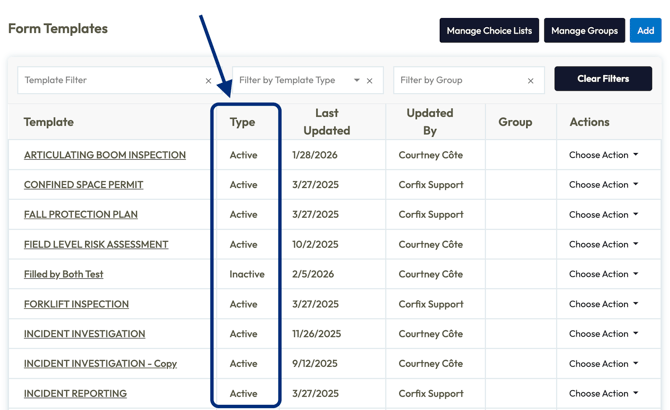
Keep your template library clean and organized -- Form templates can be officially archived instead of just marked inactive. Archived templates are filtered out by default, making it easier to focus on templates in use.
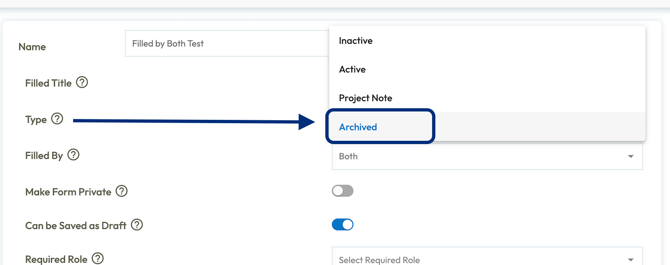
A new “Type” column in the Form Templates list also shows at a glance template status, keeping your library manageable as it grows.
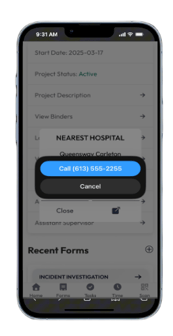
One-Click to Contact in the Mobile App
Every phone number and email address across the mobile app is now clickable for quick contact. Tap a phone number to call, tap an email to compose. Whether you're reaching out to crew members, supervisors, or head office, connection happens instantly.
External Links in Binders
Every resource you need - accessible from one place!
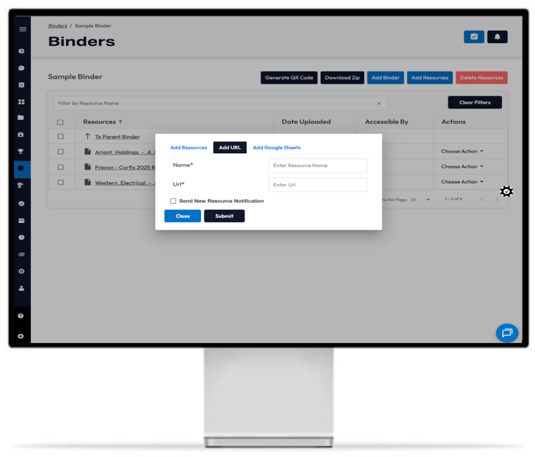
Binders can now support external URLs alongside uploaded files and Google Sheets. Add links to OneDrive documents, training videos, websites, or any externally hosted resource. Workers click the link and it opens in a new tab, giving them instant access to materials stored anywhere.
Track Task Completion Dates
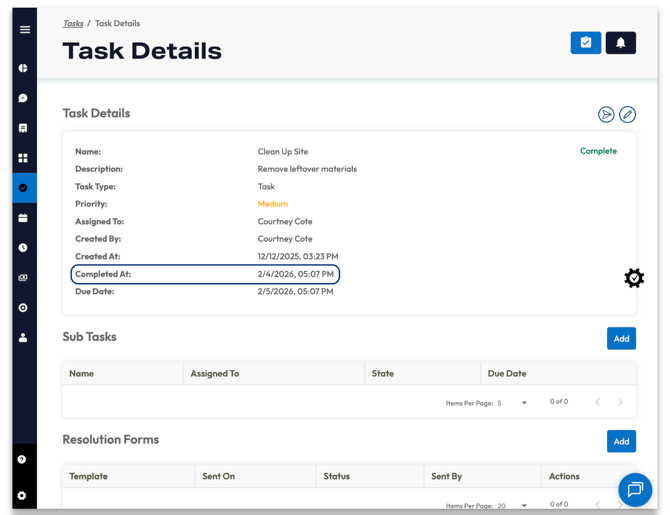
Completed tasks now display a completion date and time, making it easy to track when work was actually finished and compare to due dates. This field appears automatically on completed tasks and can be added to reports for further tracking and accountability.
Now Available in Amazon AppStore
The Corfix mobile app is now available on the Amazon AppStore, making it compatible with Fire tablets. This gives teams more flexibility in how they deploy Corfix on site, especially in shared or kiosk-style environments.

Merge Certification Types
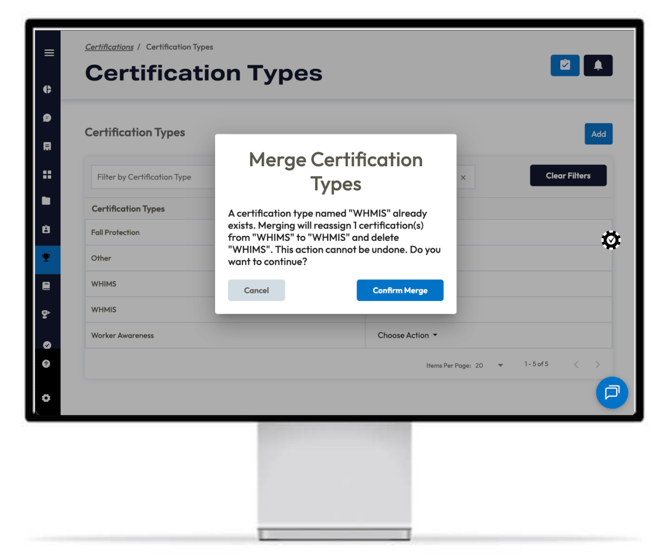
Admins can merge duplicate or near-duplicate certification types into a single standardized record. Variations caused by human error can be consolidated, keeping certifications clean, searchable, and consistent across the platform.
No more hunting through certs that are “almost the same”.
Payroll Enhancements
Year-End Slips
Once you've completed year-end tax filing and slips become available, you will have the option to email these out directly via the Corfix Payroll portal.
Navigate to Year-End Tax Packages, select the triple dot in the top right, and click "Send slips by email". This will send the slips in a password-protected email to the applicable workers.
If you prefer or need to mail out slips manually, you also have the option to download and print slips directly from the portal.
Haven't completed year-end submissions yet? Please plan to submit your T4, T4A, and RL-1 packages in Corfix by February 24 to keep your filings on track. This gives enough buffer before the government deadline and helps avoid any last-minute issues.
We’ve prepared two short guides that walk through the process and outline a few important system behaviours to keep in mind:
Note: Corfix Payroll is currently available to customers located in Canada.
Additional Enhancements & Fixes
-
Forms:
- Updated the tooltip text for the "Form Version" setting in templates to provide a clearer and more comprehensive explanation of the re-signature policy options.
- Resolved an issue where forms created with only an asset and no associated project were failing to generate a PDF. PDFs will now be generated correctly in this scenario.
- Corrected a bug where date fields in forms displayed inconsistencies between the UI and generated PDFs, often showing a day after, due to timezone discrepancies. Dates now accurately reflect the timezone of the user who filled the form.
-
Mobile:
- Resolved an issue where navigating to a worker's profile from a filtered list and then returning would cause the Workers list pagination to break, displaying only the first 10 workers. The list now correctly retains its state and allows continuous scrolling.
- Fixed a bug causing the Android app to crash when users attempted to take punch in/out photos, particularly on devices with high-megapixel cameras or low memory. Users can now reliably capture photos for time entries without interruption.
- Corrected a user interface issue on the asset details page where the "Create Form" and "View Form" buttons would overlap and hide the "Notes" section when "Attach Asset to Form" was enabled. All asset information is now clearly visible.
- Resolved an issue where a large black box would appear and obstruct the view when typing in any input field on Pixel phones (Android 16). Users can now type comfortably across all input fields without this visual obstruction.
-
- Introduced a `< Back` button on the Forms and Tasks list pages. This button now appears specifically when navigating to these lists from a worker's details page, enabling a seamless return to the previous page.
- PDFs:
- Fixed an issue where signatures on horizontal PDF forms, especially those imported via the Binder, were appearing missing or cut off. All signatures will now be displayed correctly on such forms.
- Fixed a rendering issue in form PDFs where the description of a Photo component was being overlapped by the title of subsequent components. Descriptions are now displayed correctly without overlap.
- Addressed a PDF generation issue where content within Column components with multiple columns would extend off the page, making information unreadable. Forms now correctly display all information within column components.
- Resolved an issue where forms linked exclusively to an Asset failed to generate a PDF due to an incorrect requirement for a Project association. PDFs can now be generated correctly for asset-only forms.
-
- Fixed a problem where text area contents were not rendering correctly in exported form PDFs.
- Addressed where form contents within a Tabs component were cut off after the first page in PDF V2 exports.
- Login:
- Introduced a password visibility toggle (eye icon) for all password input fields across the web application. This enhances user experience by allowing users to easily verify their input and addresses an issue where editing password fields could be difficult.
- Reports:
- Enhanced reporting capabilities by adding "Reviewed By" and "Reviewed At" columns to both Form and Form Data reports. Users can now easily track who reviewed a form and when.
-
- Resolved an "Error Running Report" issue in Form Data reports that occurred when attempting to select a datagrid for reporting after it had been deleted and re-added in the template.
- Timekeeping:
- Added a "Recalculate Hours" checkbox on the Edit Timecard screen for companies using punch clock or start/end times. This option, when selected, will automatically apply adjusted start and end times to recalculate regular, overtime, and double-time hours upon saving the timecard.
-
- Enhanced the QuickBooks Desktop export functionality for Timekeeping. New configuration options allow users to include a "Class (PROJ)" column based on project data, customize "Service Item" behavior (Rate Code + Fallback or Fallback Only), and configure "Payroll Item" behavior (Pay Rate Code + Fallback or Rate Code + Pay Rate Code + Fallback). This provides greater flexibility and customization for payroll exports.
- Fixed an issue preventing administrators from viewing time card details for blocked workers, even when those workers had recorded time card data.
-
- Resolved an issue in Timekeeping where blocked workers, whose timecards were outside of the current or last pay period, were incorrectly displayed in the "Time Cards Grouped By Worker" table. The table now correctly displays only relevant workers.
- Integrations:
- Fixed an issue preventing the Dropbox integration from automatically syncing completed forms. Automated backups to Dropbox have now resumed.
- Payroll:
-
Added the ability to see relevant tax, box, and liability details via a detailed side panel when creating presents and payroll line items. This makes it easier to confirm that items are mapped to the correct definitions during setup and ongoing configuration.
- Fixed an issue to support opt-out of $0.00 pay stubs. Payroll settings include an option to prevent sending email notifications for pay stubs with a gross value of $0.00.
-
Coming Soon ...
Curious about what we're working on next? Here's just a taste of some of the functionality we have in the works! Be on the look out for the following in a future release:
Multi-Level Cost Codes
Deeper job costing accuracy and segmentation is coming soon! Cost codes will be able to support up to three levels and be assigned to specific projects to limit what workers can select from. Guide your workers automatically through selecting the appropriate top and sub-level work associated for better reporting and analysis.
Critical In-Flight Form Notifications
Notify the right people the moment a critical form is initiated for signature, not just when it’s completed. Early awareness of high-priority workflows like incident and near-miss reports can notify safety leads see as soon as possible in case they need to jump into action.
Digital Certification Cards
Certification proof, ready when you need it. We're looking to add the ability to generate a shareable image using certification data already stored in Corfix. Quickly produce certification cards from existing data, even when a photo of the original document isn’t available.
Multiple Required Roles on Templates
Grant template access to everyone who needs it at once. When configuring template access, you will be able to configure any combination of roles that should be able to view and fill out the form. Workers with at least one of the assigned roles gain access, eliminating the need to duplicate templates or manage complex workarounds for multi-role access scenarios.
Want to share your feedback? Reach out to the Corfix team -- we're always looking for feedback on how we can continue to improve!