
- Corfix Guide
- Corfix Payroll
- Employee Setup
Rehiring an Employee with Corfix Payroll.
This article summarizes the steps to rehire an employee in Corfix Payroll.
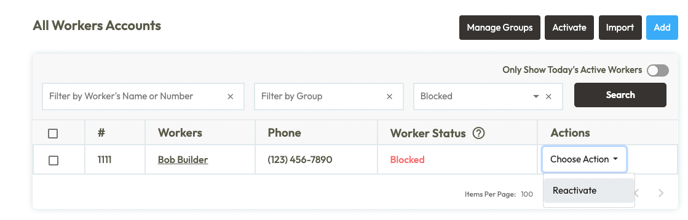
- Go to Worker profile and reactivate. Reactivating a Worker
- Edit the Worker profile and click save, no need to change anything in the profile unless the Pay Rate or personal details have changed.
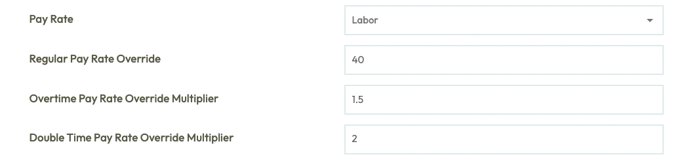
- Once saved, a new Pay Rate will be added in Corfix Payroll.
- Then go into Payroll and create the following;
- Presets (Benefits, Deductions, Allowances and Reimbursement's).
- Set up Vacation Pay.
- Set up Stat Pay.
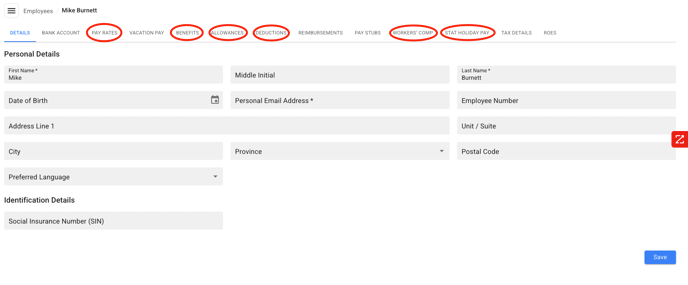
Contact your CSM to unarchive the worker if you do not see them in the Employee list or in the Corfix Payroll run.